Turn real content into real sales.

Find the right creators, showcase your products, track real results and grow your brand.

Creator content, product performance and top creators in Pulr

One place for products, creators and sales.

1

Showcase your products.

Bring your catalog into Pulr so products can be discovered and tagged in real creator content.

  • Your catalog, ready to be tagged
  • A storefront that keeps posts and products together
  • Seen by shoppers where they already browse
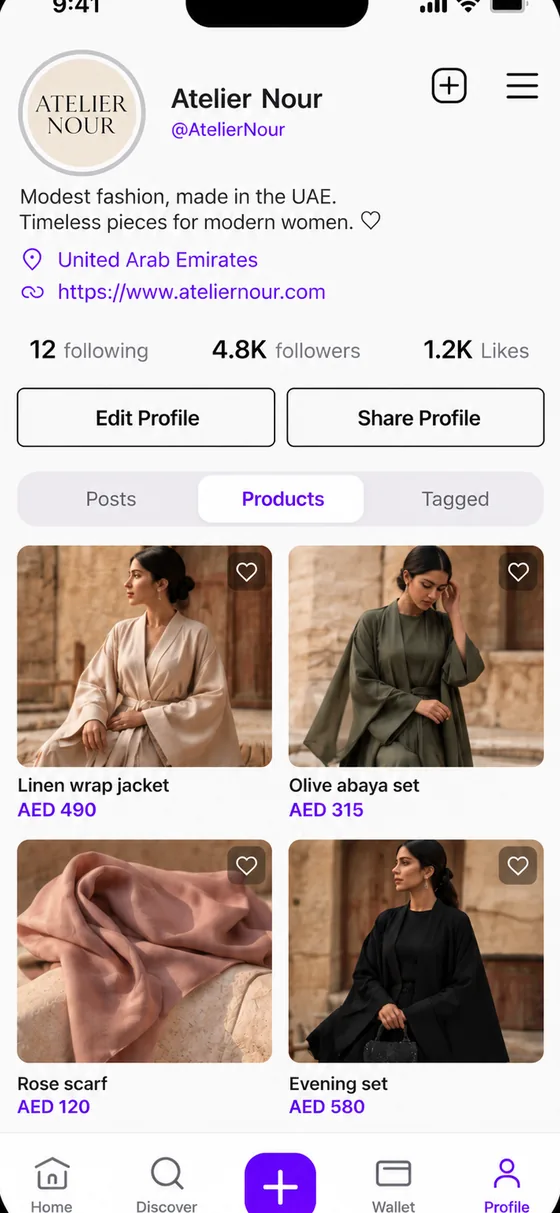
Brand storefront with product grid
2

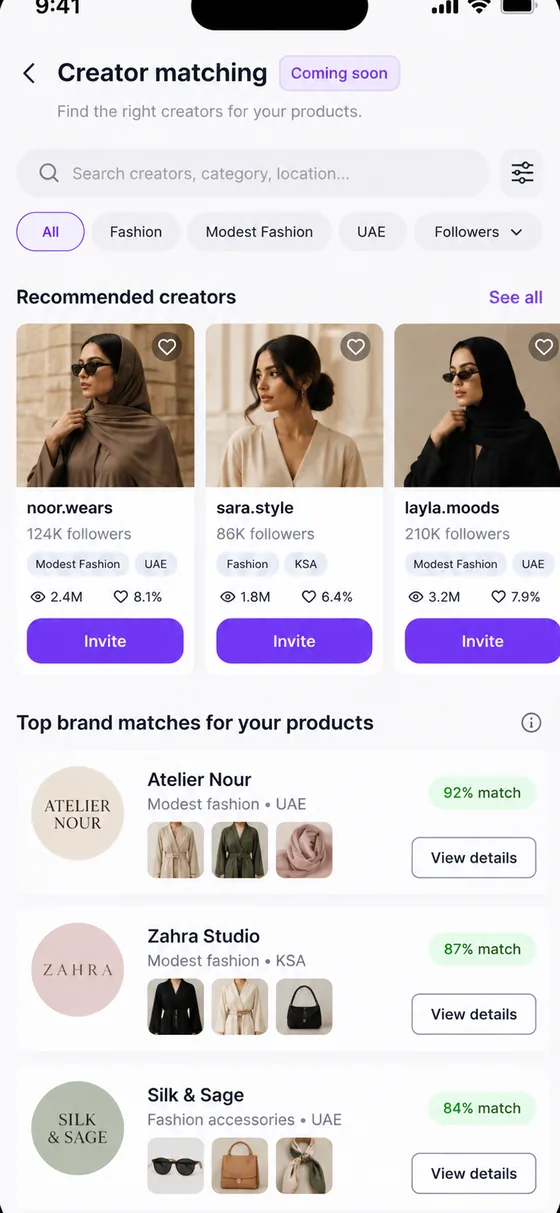
Find your creators. Coming soon

Creator Matching will help you find creators who fit your products, audience and category.

  • Search and filters
  • Match by product, audience and category
  • Invite straight from the results
Creator Matching, coming soon
3

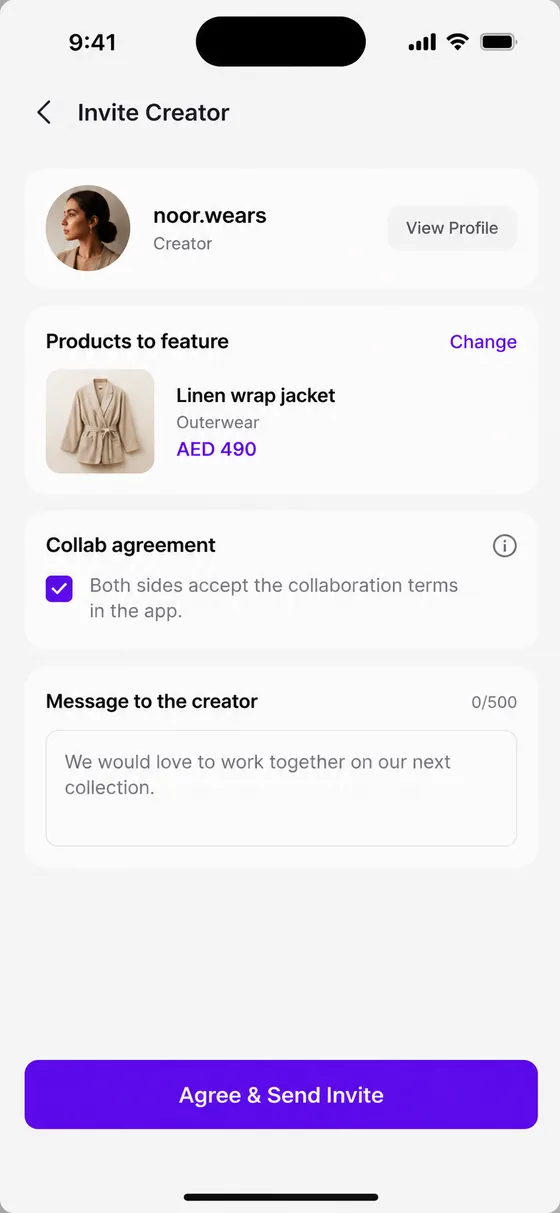
Invite to collaborate.

Choose the products to feature, write a message and send the invitation.

  • Pick the products to feature
  • Both sides accept the collaboration terms in the app
  • Manage agreed collaborations in one place
Invite creator screen
4

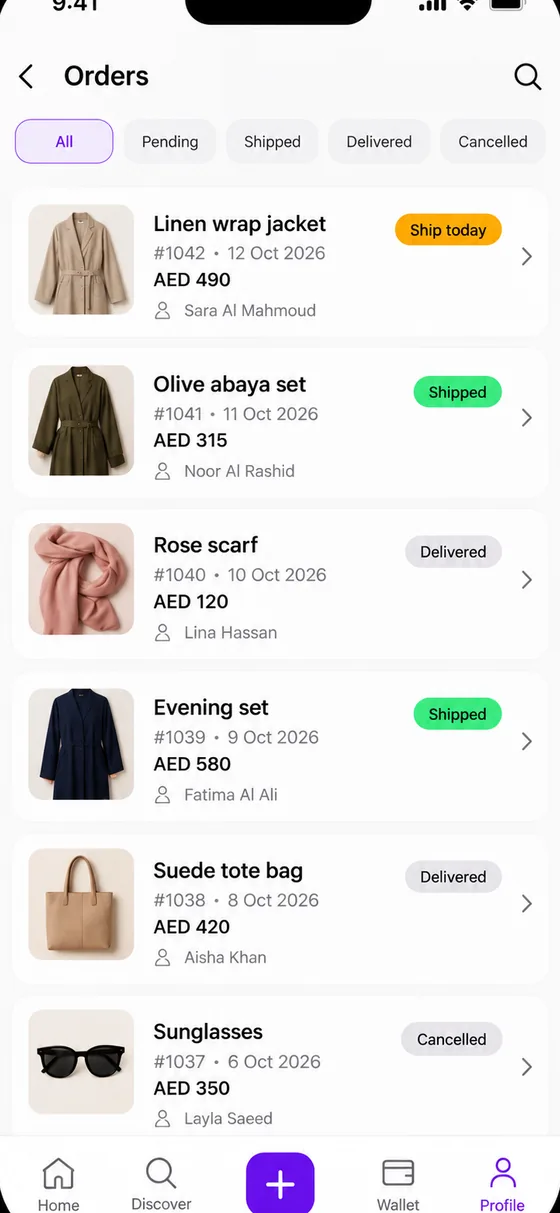
Orders, at a glance.

See every order with a clear status, so fulfilment feels like real commerce operations.

  • Ship today, Shipped, Delivered
  • Product images and creator-driven orders
  • Filter by status in a tap
Orders with status badges
5

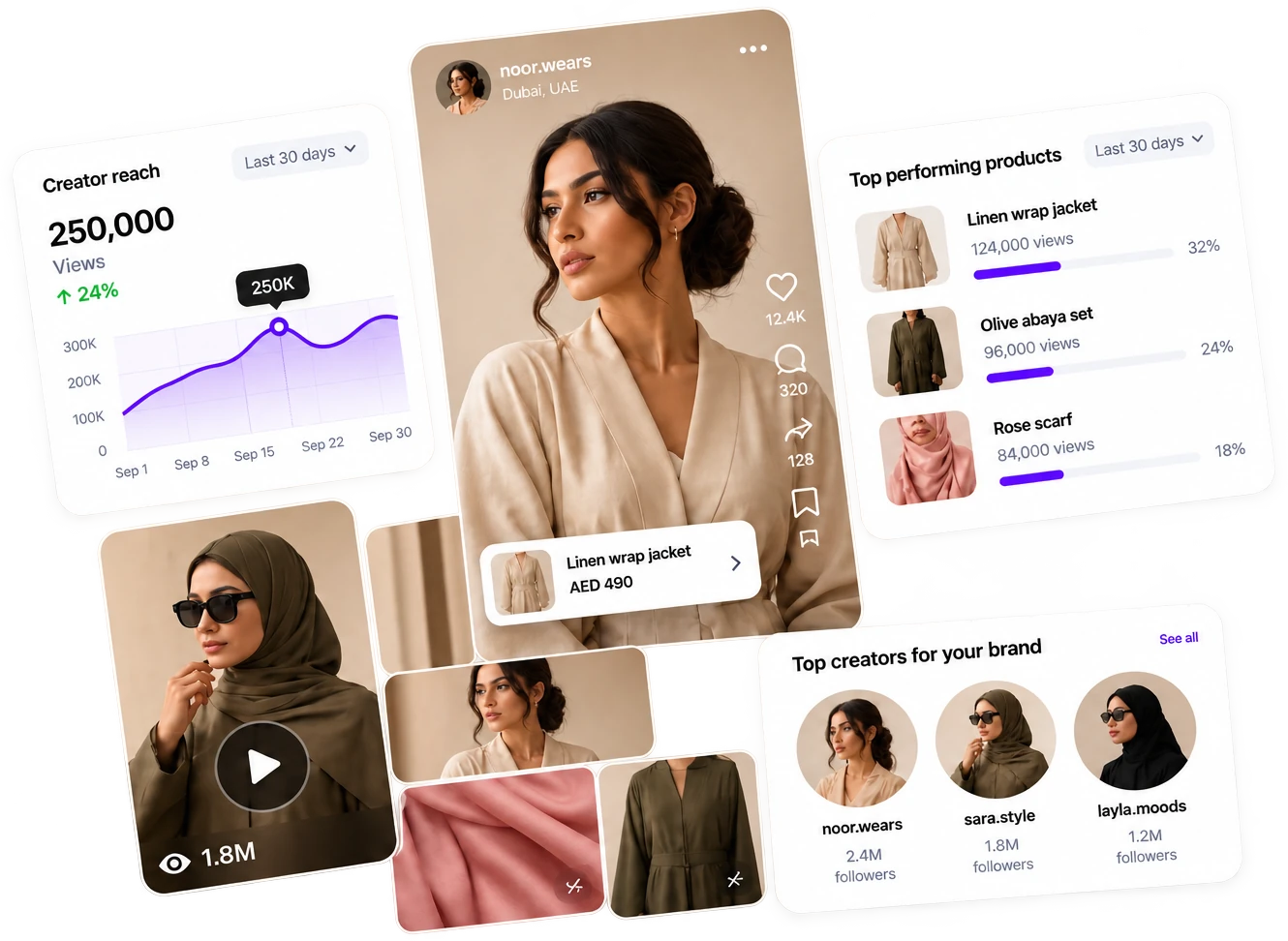
Know what works.

Track views, clicks, orders, revenue and which products and content perform best.

  • Views, clicks, orders and revenue
  • Top products and top creators
  • Learn what to feature next
Views250K
Clicks3.2K
Orders480
RevenueAED 96K
Linen wrap jacket
Olive abaya set
Rose scarf

Brand questions.

See all questions
How can brands work with creators?

Brands can make products available on Pulr, discover creators, send collaboration invitations and manage agreed collaborations through the platform.

What is Creator Matching?

Creator Matching is designed to help brands discover creators relevant to their products, audience and category. It is currently presented as Coming soon.

How do brands start selling?

Download the app, choose Brand when you join, and complete verification. Then manage products and orders in the Business Panel.

Pick your side of the feed.

One app. One sign-up. You choose your role when you join.

Download on theApp StoreComing soonGoogle Play
Scan to download the app
Get the app